SubCargo Controls and Inputs
Roblox defaults plus submarine-specific interactions—know what to press before alarms fire.
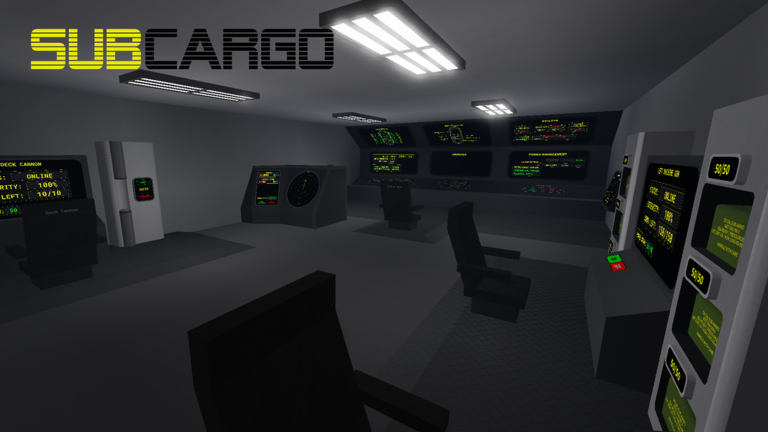
Controls in SubCargo stack standard Roblox inputs on top of submarine systems that behave more like Barotrauma than a typical Roblox obby. Because the game is in alpha early access, DeltaCore Studio may rebinding panels or rename UI buttons between patches. Treat this page as a logic map: what each action does, where it lives on the sub, and which guide to read when the action fails. Always confirm binds in a safe dock before you throttle into deep veins.
Standard Roblox movement and camera
On PC, W A S D moves your character, Space jumps, and Shift toggles sprint where enabled. Hold Right Mouse Button to rotate the camera; scroll wheel adjusts zoom. E or Click interacts with prompts when you stand near usable objects—doors, valves, shop counters, and helm chairs typically use proximity prompts.
Mobile and console players receive on-screen sticks and contextual buttons. Alpha support varies by device; if a valve refuses to toggle, move closer to the prompt anchor and tap again. Gamepad users should enable Roblox shift-lock when walking tight engine-room corridors so camera drift does not misclick wiring panels.
Voice chat or external Discord is not a control bind, but co-op crews should agree on callouts like “flooding starboard” or “Larry on hull” because SubCargo punishes silent mistakes faster than input latency does.
Bridge and navigation controls
The helm or navigation chair lets a seated pilot throttle forward and reverse, adjust depth, and sometimes steer lateral thrusters depending on sub design. Enter the chair through its interaction prompt, then use the sub-specific UI: slider bars, arrow buttons, or WASD overlays wired by the builder.
Depth control ties directly to ballast—you are not flying an airplane. If depth changes feel sluggish, the engineer may need to adjust pumps rather than the pilot holding W harder. Read Ballast and Systems for neutral ballast values and pump labels before blaming helm responsiveness.
Sonar or map panels (when present) highlight routes, docks, and nearby structures. Mark waypoints verbally even if UI supports pins; alpha desync can hide icons for late joiners.
Ballast, pumps, and engineering panels
Engineers spend most of their time at reactor, battery, and ballast pump interfaces. Typical interactions include toggling pumps on/off, setting target fill rates, and copying neutral ballast numbers from hull sections into navigation settings. Some subs expose wiring nodes—connect power from reactor to pump before expecting movement.
Critical alpha detail: ballast pumps often require correct labels (community notes specify marking them as ballast) and hull sections designated as ballast tanks. Mislabeled rooms fill with water unexpectedly and mimic “broken controls.” If your sub sinks at idle throttle after helm input looks fine, exit the chair and troubleshoot pumps before re-docking.
Fuel rods, battery switches, and breaker panels follow the same click-to-toggle pattern. Prioritize reactor stability over flashing every light simultaneously; brownouts disable pumps mid-dive.
Tools: welder, wrench, mop, extinguisher
Tool interactions are first-person friendly. Equip from inventory or world spawns, aim at the target, and hold the use button until progress completes. The welder repairs hull gaps—roughly eleven seconds per wall from empty to full in current alpha tuning. The wrench services mechanical connections or interior fixtures depending on sub wiring. The mop clears pooled water so you can see breach sources. Fire extinguishers suppress reactor or storage fires before smoke kills visibility on the bridge.
Full repair choreography—including who should carry which tool—is covered in Hull Repairs. New players should bind mentally: welder fixes holes, mop buys time, extinguisher stops heat, wrench handles odd jobs.
Weapons and defensive stations
Gunners interact with deck guns, torpedo tubes, or handheld firearms at mounted stations. Aim with mouse or stick, fire with click or trigger, and reload through interaction prompts or inventory ammo. Larry fights demand controlled bursts rather than panicked mag dumps; see Beat Larry for time-to-kill math with .50 cal and mortar shells.
Compare weapon efficiency on the Tier List before rebinding your muscle memory to a weak turret.
Diving suit and airlock sequence
Exterior work uses a strict order: grab diving suit near the airlock, enter suit locker or equip prompt, seal interior doors, open flood valve, wait for water equalization, then exit through the outer hatch. Reverse the sequence returning—close outer door, drain chamber, remove suit, store oxygen gear. Headlights toggle on suit or helmet prompts; use them before entering dark labs.
Step-by-step structure looting lives in Diving and Structures. Never flood the airlock while someone still stands inside without a suit.
Cargo, docks, and shops
At dock stops, interact with mission terminals to accept or turn in cargo deliveries, then visit shop NPCs or counters to sell loot and buy fuel. Prompts mirror standard Roblox commerce UI. Route planning and role splits appear in Cargo Delivery.
When controls feel wrong in alpha
If an interaction silently fails, check: Are you seated in the correct chair? Is reactor power flowing? Did alpha patch notes change label requirements? Restart the affected room rebuild if wiring desyncs—common in early access. Report persistent bugs in-game or via the community server on Official Links, then watch Updates for bind changes.
Suggested practice drill
Dockside, cycle every role for five minutes: pilot adjusts depth gently, engineer toggles ballast pumps, gunner dry-fires a turret, flex player welds a test wall, diver runs a fake airlock flood without leaving the sub. Repeat after each patch. Controls only feel intuitive once your crew shares the same vocabulary—pair this page with Getting Started for day-one crew formation.
Frequently Asked Questions
Quick answers for SubCargo crews in Roblox alpha.
Do SubCargo controls match normal Roblox games?
Movement and camera follow Roblox defaults, but submarine helm, ballast pumps, tools, and airlocks add custom proximity prompts that vary by player-built subs.
Why can I not steer even though I am in the helm chair?
Check reactor power, wiring to thrusters, and whether another player already owns navigation locks. Some subs also require ballast neutralization before depth inputs respond.
Can keybinds change during alpha updates?
Yes. DeltaCore Studio may move UI buttons or interaction order between alpha builds—re-test controls at a dock after every patch listed on Updates.
Which control fixes a submarine that sinks at idle?
Usually ballast pump toggles and neutral ballast values, not helm keys. Engineers should read Ballast and Systems while pilots hold position.
How do I learn airlock and diving suit controls safely?
Practice flooding and draining at a dock with a buddy monitoring interior doors, following the sequence in Diving and Structures before deep loot runs.