How to Redeem SubCargo Codes
Generic redemption steps for alpha builds — UI placement can change between patches.
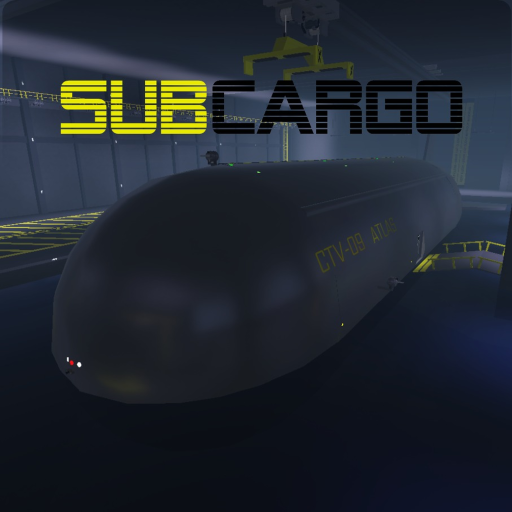
Players often land on this page hoping to paste a SubCargo promo code immediately. In the current Roblox alpha, DeltaCore has not shipped a widely documented public code campaign, and our Codes Status page lists no verified working codes. This guide still matters: when the developers add redemption, the steps below help you claim rewards quickly without typos, wrong menus, or scam links.
Before you redeem anything
Start on the official Roblox experience page linked from our Links Hub and confirm you are joining SubCargo [ALPHA], not an old dev lobby or unrelated copy. Alpha experiences can have parallel test places; codes from private builds rarely work on the public alpha.
Next, open Codes Status and confirm the string is listed as working. Do not trust random comment sections, repost bots, or “code for code” chains. During early access, fake codes spread faster than real ones because players expect every Roblox game to launch with free credits.
Step 1: Launch SubCargo on the correct account
Log into the Roblox account where you want rewards. Promo redemptions usually bind to the account that clicks redeem, not the device. If you play with friends, each crew member must redeem on their own profile unless DeltaCore explicitly states otherwise.
Allow the experience to finish loading the dock or submarine hub. Alpha loading times vary, and opening menus too early sometimes fails silently. If the server feels unstable, rejoin—SubCargo’s description notes that game-breaking bugs are expected during alpha.
Step 2: Locate the promo code menu
Roblox games typically place code entry in one of these places:
- A Codes button on a side menu or settings panel
- A terminal at the dock or shop area
- A limited-time event board during patch week
Because SubCargo is still in alpha, the exact button name and location can move without a full tutorial update. Scan the dock UI near shops like the Underforge and Krakken’s Arsenal, check pause or settings icons, and look for patch notes in our Updates Hub when a code campaign launches.
If you cannot find any redeem UI, assume codes are not enabled on that build yet rather than forcing strings into chat commands—most Roblox experiences do not redeem through chat.
Do not confuse the Roblox private-server access field with promo redemption. Typing a “code” into the server browser only joins private instances. As of the August 2026 review, SubCargo still has no verified working promo codes and no documented public redeem menu—see Codes Status.
Step 3: Copy and paste carefully
Codes are almost always case-sensitive and space-sensitive. Copy from Codes Status or an official announcement, then paste into the text box. Avoid typing from memory; lowercase “l” and uppercase “I” swaps ruin redemption.
Remove accidental trailing spaces after paste. Some mobile keyboards add hidden characters; if redemption fails once, re-copy from the source.
Step 4: Confirm rewards in-game
After tapping redeem, verify the reward where SubCargo tracks it:
- Credits for Krakken’s Arsenal or Underforge purchases
- Tools or weapons in your inventory or spawn loadout
- Cosmetics such as spray colors or badges
If the UI says success but nothing changes, rejoin the experience. Alpha inventory bugs happen. If rewards still missing, check Codes Status for “expired” or “patch removed” notes before reporting a new bug.
Step 5: Troubleshooting failed redemption
Common failure reasons during alpha:
| Symptom | Likely cause |
|---|---|
| “Invalid code” | Typo, expired campaign, or fake string |
| Button missing | Build without code feature yet |
| Success but no reward | Alpha inventory sync—rejoin server |
| Worked for friend, not you | One-time account flags or different place ID |
Do not download “code generators” or browser extensions promising SubCargo rewards. Those tools violate Roblox Terms of Use and commonly steal accounts.
Where official announcements usually appear
Watch these channels when hunting legitimate codes:
- The Roblox experience description and update log on the game page
- Official DeltaCore community server linked from in-game prompts
- Verified social posts from the studio—not fan repost accounts
We mirror confirmed codes on Codes Hub and Codes Status after verification. If you find a working string not listed, report it with build version and reward details so we can test before publishing.
Related pages
- Codes Hub — overview of alpha code expectations
- Codes Status — working and expired tables
- Getting Started — progression when no codes are active
- Scripts Hub — why third-party “code tools” are unsafe
Frequently Asked Questions
Quick answers for SubCargo crews in Roblox alpha.
Is there a redeem button in SubCargo alpha today?
A public promo redeem menu has not been documented for current alpha builds. The private-server code box is not a redeem UI—check Codes Status and Updates after announcement events.
Why does my code say invalid even though I copied it?
The code may be expired, fake, case-sensitive, or tied to a different place version. Confirm spelling on Codes Status and rejoin the official alpha experience.
Can I redeem codes on mobile?
Yes, if the experience exposes a code menu on mobile. Use paste instead of typing, and watch for keyboard spaces that break case-sensitive strings.
Do codes give weapons or submarine upgrades?
Rewards depend on what DeltaCore configures. Past Roblox campaigns often grant credits or cosmetics; we list exact rewards on Codes Status when a code is verified.